Context in Aisle: how it works and how to use it
Last updated: June 23, 2026
Most application security tools treat every finding the same way. The same SQL injection in a public-facing API and in an internal admin tool that runs once a month will look identical in the dashboard — both flagged, both severity "high."
Context changes how a finding should be triaged, prioritized, and fixed. Aisle lets you provide that context at three levels: per finding, per repository, and across your whole organization.
This article explains what each layer does and when to use it.
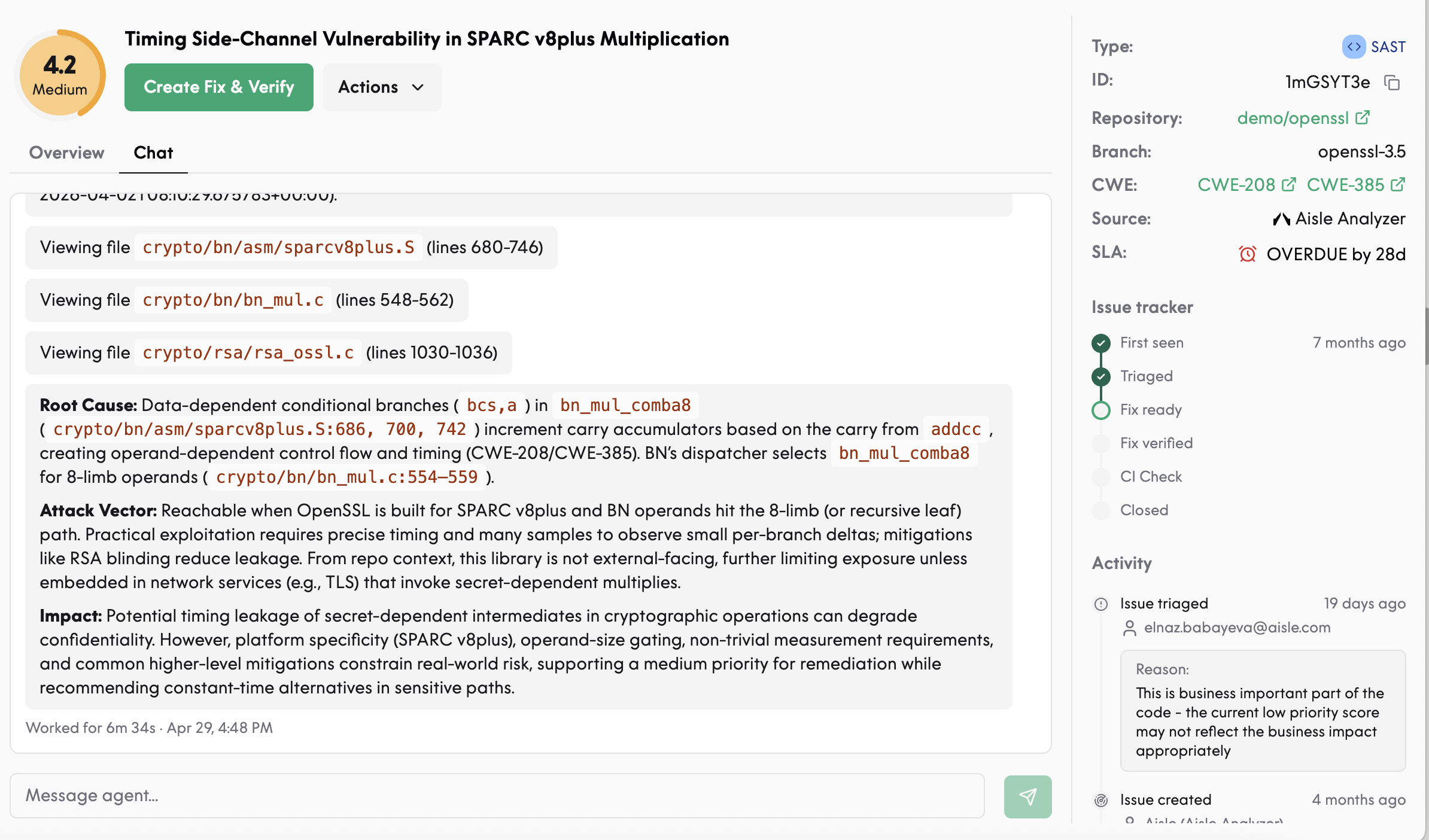
1. Per-finding context (chat agent)
Every finding in Aisle has a chat agent attached. Use it to provide context for a single finding, in a single session.
You can:
Explain why a finding is or isn't a real issue (e.g. "this service is internal-only")
Ask the agent to retriage with new information
Request a fix regenerated with different constraints (different coding style, different library)
Ask questions about the finding — what it means, how it could be exploited, why it was flagged
Context provided through chat applies only to that finding and that session. It does not persist across sessions or propagate to other similar findings. If you find yourself giving the agent the same context across multiple findings, move it up to the repository or organization level.
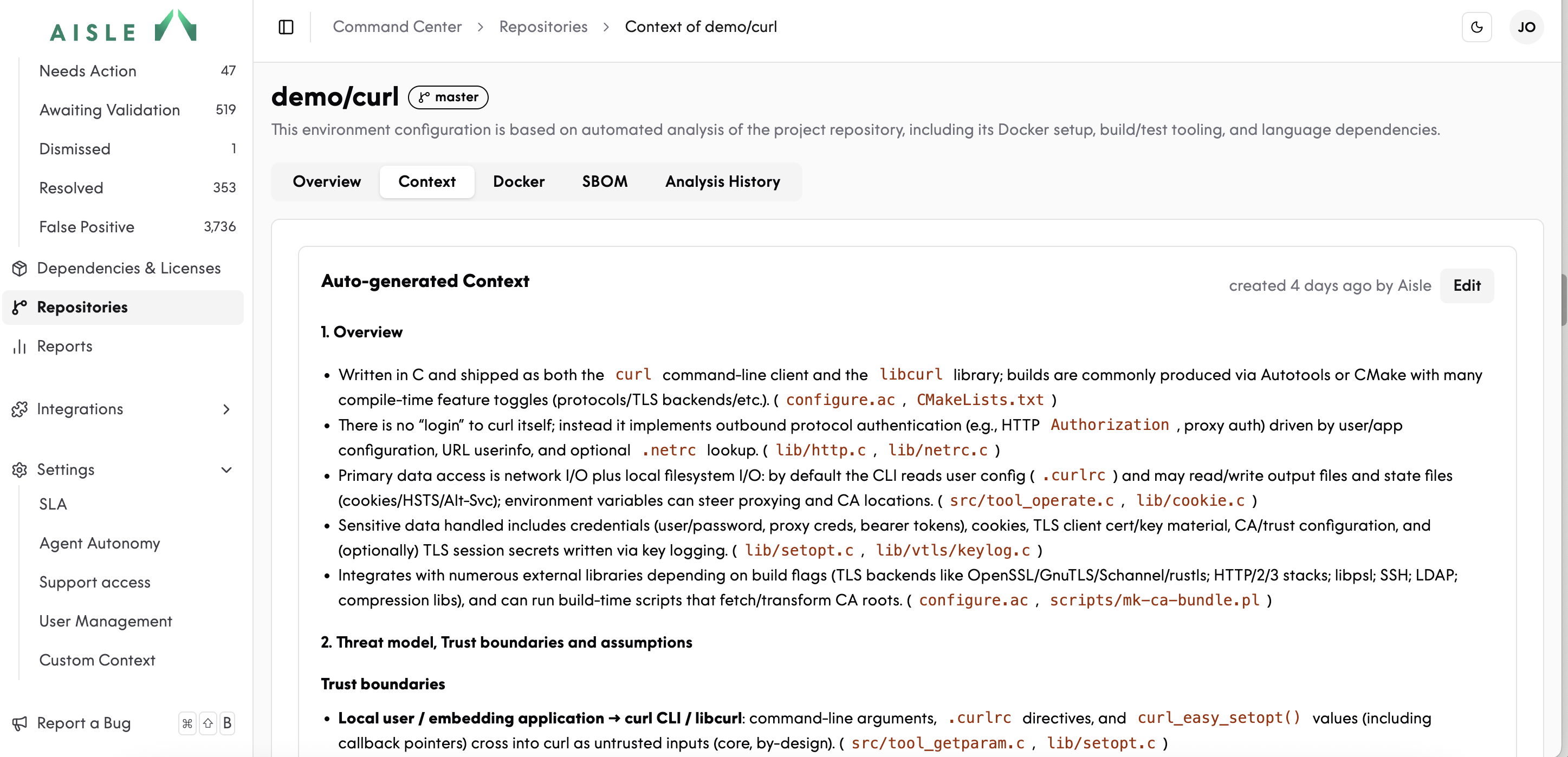
2. Repository-level Context Enrichment
When you enable Context Enrichment on a repository, Aisle automatically generates a context document based on the code — what the service does, how it's deployed, what frameworks it uses, and where its trust boundaries are. You can edit the generated document directly.
Typical things to add or correct:
Exposure ("this repo is an internal back-office tool, no internet exposure")
Service-specific assumptions ("authentication is handled by the upstream API gateway — don't flag missing auth checks here")
Custom utilities the platform may not infer correctly ("outputs to
audit.logare sanitized by our custom logger")
Context Enrichment currently influences detection and triage. Fix generation will pick up the same context shortly — it's actively being built.
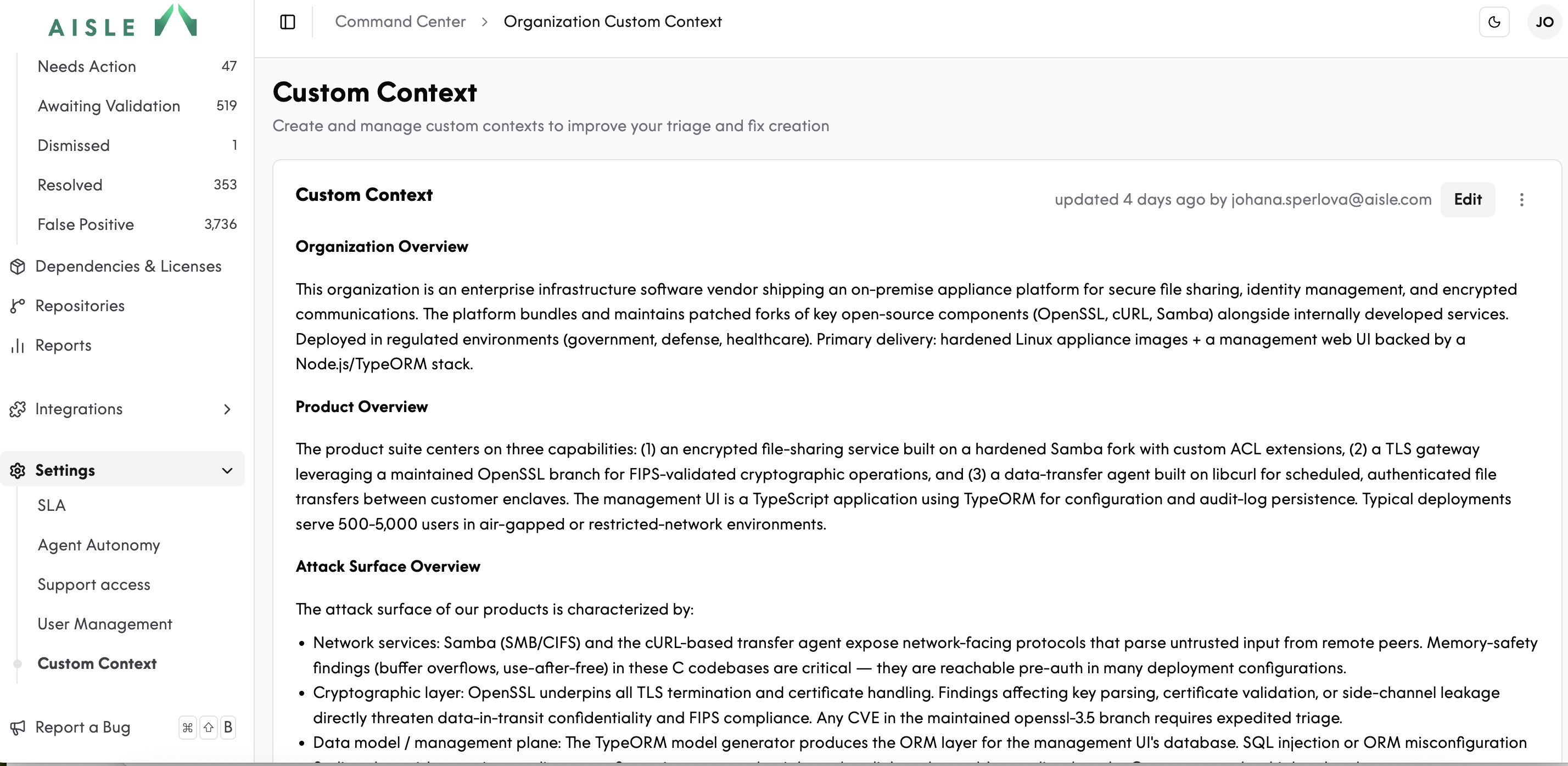
3. Custom Context (organization-wide)
Custom Context lives in your platform settings and applies across every repository. Use it for things that are true about your organization as a whole.
Typical content:
Internal coding standards and conventions
Compliance requirements (PCI DSS, ISO 27001, GDPR, ISO/SAE 21434, sector-specific rules)
Architectural patterns to respect ("all PII is encrypted at the database layer")
Risk and prioritization rules ("findings touching payment data are always P1")
Custom Context shapes how every scan, triage decision, and fix is generated across your workspace. It's the highest-leverage layer to invest in.
How the three layers work together
Layer | Scope | When to use it |
|---|---|---|
Custom Context | Whole organization | Standards, compliance, architectural truths |
Context Enrichment | One repository | Service-specific behavior, deployment context, trust boundaries |
Chat agent | One finding | Quick clarifications, one-off triage, fix variations |
Why context matters
Traditional SAST tools generate noise because they don't know anything about your environment. They match code against a rule set and leave interpretation — what's real, what's reachable, what's worth fixing — to your AppSec team.
Aisle's approach is that an AI-native platform can do that interpretation if you give it the right context. The three layers above are how you do that.
Getting started
If you're already on Aisle:
Fill in Custom Context with your standards and compliance requirements.
Review the auto-generated context on your repositories and edit anything that's off.
Use the chat agent for individual findings — and push recurring context up a layer when you notice patterns.