How AISLE scores risk
Last updated: June 23, 2026
Every finding in the AISLE platform carries a single severity score from 0 to 10. That score is what drives prioritization, SLA timelines, and pull-request gating across SAST, SCA, and secrets detection.
More than raw CVSS
Most tools lean on CVSS alone. CVSS describes a vulnerability in the abstract — it doesn't know whether the affected code is actually reachable in your application, how exposed it is, or how realistically it could be exploited in your environment.
Aisle starts from established standards, including CVSS where it applies, and then layers in context about your codebase to produce a score that reflects real risk rather than a theoretical worst case.
In practice this means a finding that looks "Critical" on paper can score lower in Aisle when the affected code isn't reachable or sits safely behind your network boundary — and a finding that matters in your specific setup gets surfaced even if its generic rating is modest. The effect is less noise and a prioritized list you can act on with confidence.
Severity bands
Scores map to four severity levels on the CVSS v4 scale:
Score | Severity |
|---|---|
9.0 – 10.0 | Critical |
7.0 – 8.9 | High |
4.0 – 6.9 | Medium |
0.1 – 3.9 | Low |
Fix effort is shown separately
Each finding also includes an estimate of how much effort a fix is likely to take. This is there to help you plan — it does not change the severity. A quick-to-fix Critical is still Critical, and a hard-to-fix Low is still Low.
Dependency findings get live threat intelligence
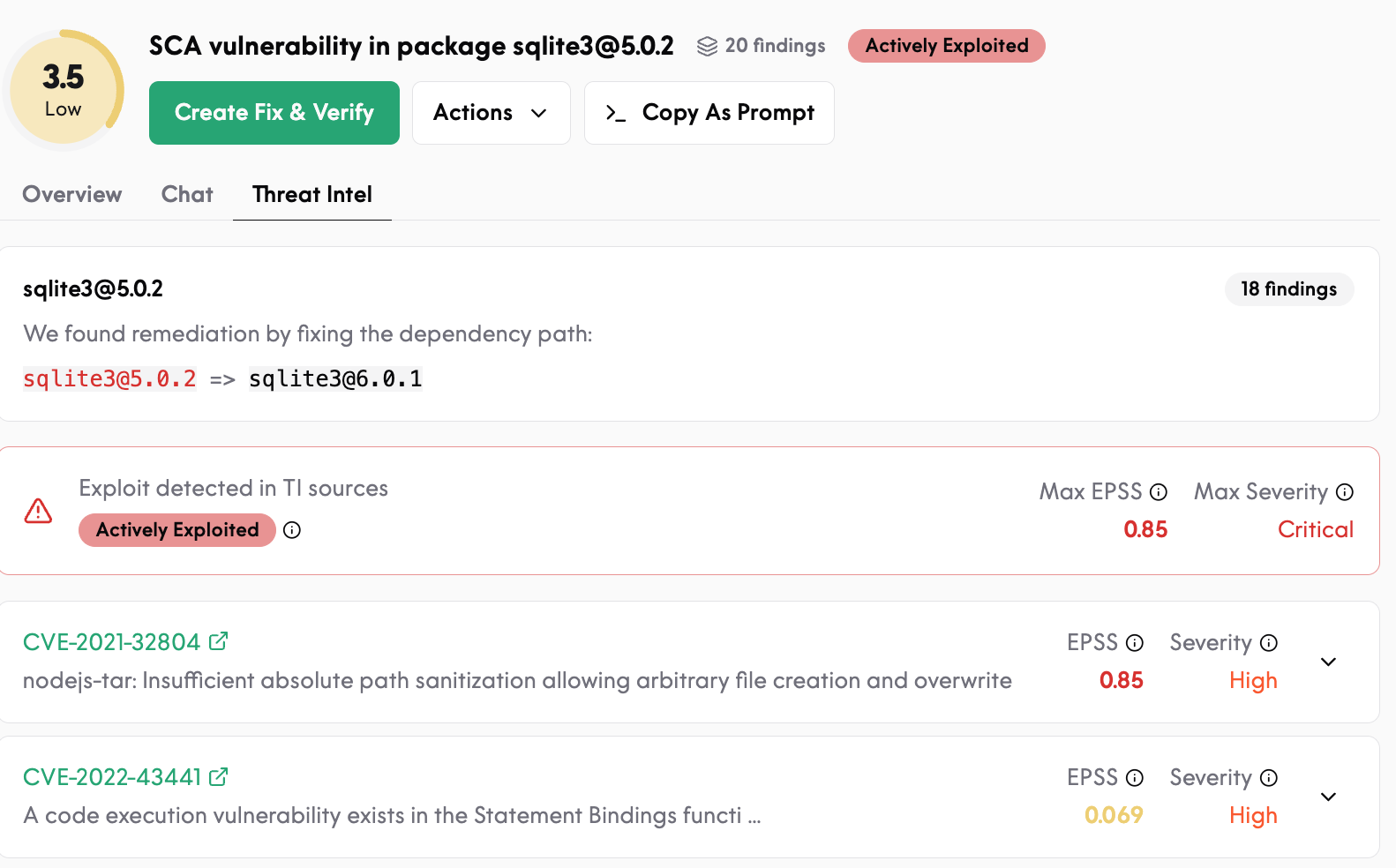
For open-source dependency findings (SCA), Aisle enriches scoring with current threat intelligence — including exploit-prediction data and whether a vulnerability is known to be actively exploited in the wild — so the dependencies most likely to be attacked rise to the top. License risk is classified on its own separate scale.
You can refine scoring with context
If a score doesn't match your reality — usually because the platform can't see your wider architecture — you can give Aisle that context (for example, "this service is internal-only and behind our VPN") and have it re-score accordingly. Aisle applies your context going forward, so prioritization stays aligned with how your systems are actually built.